Ankit Jaat
How do you add multiple photos to one Instagram Story?
You add multiple photos to one Instagram Story in five ways, and each suits a different photo set. Instagram’s Help Centre and its 2026 guide to Stories, checked on 24 October 2026, describe the first three inside the app. The other two use a free design app or the normal Story upload.
- Layout: a grid inside the Story camera that combines up to 6 photos into one frame.
- Photo sticker: layers saved photos on top of your main photo or video.
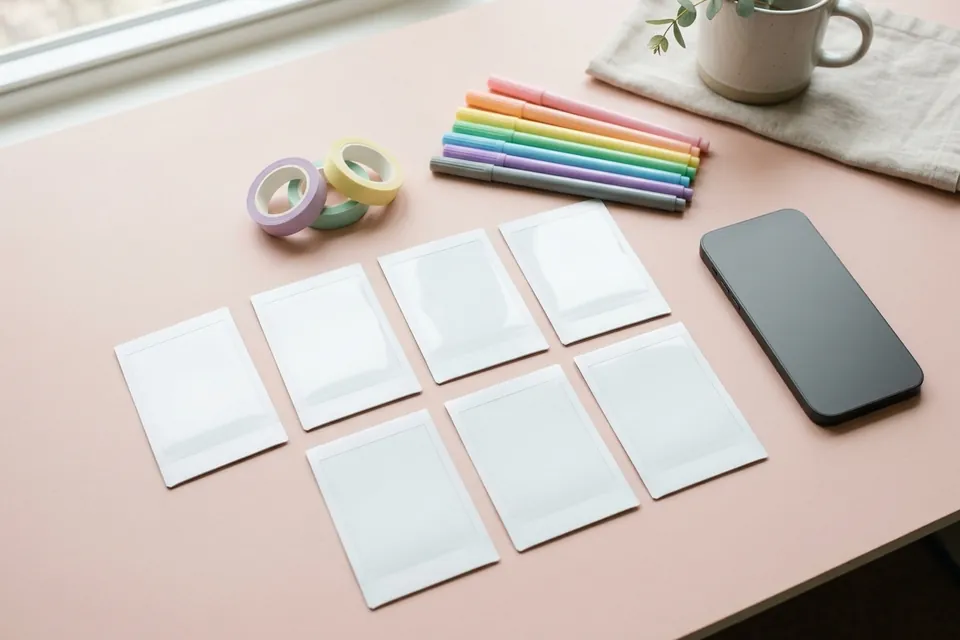
- Frames sticker: places a saved photo in a polaroid-style frame on top of your Story.
- A collage made in Canva: several saved photos arranged in one Story-size image, then uploaded.
- A Story sequence: each photo posted as its own Story, so viewers tap through them in order.
A Story is a photo or video that disappears from your profile, Feed and messages after 24 hours, unless you add it to a Highlight. Instagram’s own Stories help page says so. That short life makes Stories the right place for today’s photos: a shop’s new stock, a wedding’s haldi morning or a college fest.
The sections below give the steps for each method, a table that matches methods to photo sets, and Story ideas that use more than one picture.
How does Layout put several photos in one Story frame?
Layout is Instagram’s built-in way to add multiple photos to a single Story frame. It splits the screen into a grid and fills each box with a photo. Instagram’s help page on combining photos gives these steps:
- Open Instagram and tap Create.
- Tap Story at the bottom.
- Tap Layout on the left.
- Tap the grid on the left to change how the boxes are arranged.
- Tap Take a photo for each box.
- Tap Approve, then finish the Story and share it.
Instagram’s 2026 guide to Stories adds that Layout splits one frame into a grid of up to 6 photos, and that you can shoot or upload a photo for each panel. So the boxes take new camera shots or photos from your gallery. A sweet shop in Indore, for example, lines up four trays of mithai, opens a four-box grid and takes one photo of each tray. The result is one tidy frame instead of four separate taps.
Layout works best when every photo has the same light and distance. Shoot all the boxes in one spot, a few seconds apart, and the grid looks like a single design rather than a patchwork.
How do you add saved photos with the photo and Frames stickers?
You add multiple photos you already saved on top of a Story with two stickers. The photo sticker layers extra photos onto your main photo or video, and the Frames sticker shows one photo in a polaroid-style frame. Instagram’s 2026 guide to Stories describes the photo sticker as a way to combine multiple shots into one frame:
- Open the Story camera and choose your main photo or video.
- Tap the sticker icon in the top toolbar to open the sticker tray.
- Tap the photo sticker and pick a saved photo.
- Repeat for each extra photo, place them neatly, then tap Your Story.
The Frames sticker adds a little surprise. Instagram’s help page on the Frames sticker, checked on 24 October 2026, says viewers first see a blurry picture and shake their phone, or tap to reveal it, to develop the photo.
- Open Instagram, tap Create, then tap Story.
- Create the base of your Story: a photo, a colour background or a video.
- Tap the sticker icon at the top and choose Frames.
- Pick the photo you want to use.
- Add a caption. The help page says it can be up to 19 characters, including spaces.
- Tap Done, then share the Story.
Instagram adds the date and time the picture was taken automatically. That makes Frames a natural fit for throwback photos, such as “Diwali 2019” on top of this year’s rangoli. Keep the caption short and specific; 19 characters is enough for a name, a date or a place.
To add multiple photos without a grid, use the photo sticker for two or three extra photos, and Frames for one photo with a reveal. For a designed frame with a heading, a collage is the cleaner choice.
How do you make a photo collage for a Story in Canva?
A Canva collage is the route when you want to add multiple photos you already saved into one Story frame. Canva’s Google Play listing for India names a photo collage maker and Instagram Story designs among its features.
- In Canva, create a Story-size design. The Instagram Story size guide lists the pixel numbers.
- Pick a collage or photo-grid template, or draw your own boxes.
- Drop your gallery photos into the boxes and add a short heading.
- Download the design as a PNG or JPG to your phone.
- In Instagram, open the Story camera and swipe up to choose the collage from your gallery. Instagram’s help page on sharing to your Story describes this swipe-up step.
- Add text or stickers if you need them, then tap Your Story.
A collage suits photo sets that tell one small story, such as three outfits from a saree shop in Surat or before, during and after shots of a room makeover. Keep each photo large enough to see on a phone, so use four photos or fewer per frame.
The full Canva workflow for sizes, templates and downloads is in the guide to making Instagram designs in Canva; the same steps apply to Story-size designs.
How do you post several photos as a Story sequence?
Posting each photo as its own Story is the simplest way to add multiple photos without any collage. Viewers tap through the frames one by one, and each photo gets the full screen.
- Tap Create, then Story.
- Swipe up anywhere on the screen to open your gallery, as Instagram’s sharing help page describes.
- Choose the first photo, add text or a sticker, and tap Your Story.
- Repeat for each photo, in the order you want people to see them.
Give the sequence a beginning and an end. Open with the photo that shows what the set is about, such as the finished cake, and close with the next step, such as the price or the order line. Add a small “1/5” label on each frame so viewers know how many are left.
A sequence also lets you show some photos to a smaller group. The guide to Close Friends explains when to share a frame only with that list, and the guide to Story reply settings covers who can answer your photos.
Which method fits which photo set?
The right method depends on how many photos you have, whether they need a designed layout, and whether they belong in one frame or several. Use this table to add multiple photos the quickest way for each job.
| Method | Photos per frame | Uses saved photos? | Good for |
|---|---|---|---|
| Layout | Up to 6, in a grid | Yes; shoot or upload each panel | Product rows, menu items, a quick “today at the shop” grid |
| Photo sticker | Extra photos layered on one frame | Yes | A main shot with close-ups, a group photo with insets |
| Frames sticker | One extra photo on top | Yes | Throwbacks, reveals, a surprise photo |
| Canva collage | Several, designed | Yes | Outfit sets, before–after, event recaps with a heading |
| Story sequence | One per frame | Yes | Trips, step-by-step recipes, wedding days |
A Lucknow home baker posting six cakes from one weekend has two good options: a Canva collage for one tidy frame, or a six-frame sequence that gives each cake the full screen. The sequence takes more taps for viewers; the collage shows less detail. Pick the one that matches how closely people need to look.
When the same photo set deserves more than 24 hours, turn it into a Reel with the guide to making a Reel with photos. If that Reel then needs a higher view count for a launch, add views from ₹9 per 1,000 on the order page.
What are good Instagram Story ideas for multiple photos?
Good Instagram Story ideas for multiple photos tell a small story across the pictures: before and after, step by step, or one day in several moments. Each idea below names a way to add multiple photos that suits it.
For festivals and family
- Diwali falls on Sunday 8 November 2026, according to the 2026 holiday list of the Office of the Accountant General, Punjab. Post a Layout grid of diyas, rangoli, sweets and family.
- A birthday “then and now” with the Frames sticker on a childhood photo.
- A wedding-day sequence: haldi, mehendi, baraat, pheras.
For shops and small businesses
- New stock in a four-box grid, with the price on the last frame.
- A Canva collage of three customer favourites, each labelled with its name.
- Behind the scenes: raw material, making, packing, dispatch.
For creators, students and travellers
- A trip recap: one photo per stop, from Jaipur’s Hawa Mahal to the chai stall after.
- A study-desk setup or exam-week routine in a grid.
- A photo prompt with the Add Yours sticker, which Instagram’s 2026 guide to Stories says turns your Story into a prompt that friends answer with their own Story.
For dozens more, read the full list of Instagram Story ideas, the birthday Reel and Story ideas and the Diwali Reels ideas.
How do you keep a multi-photo Story easy to read?
A multi-photo Story stays easy to read when each photo is large, the text is short and the frame has one clear focus. Whichever way you add multiple photos, the same reading rules apply. Small photos in a crowded grid lose detail on a phone screen.
- Fewer, bigger photos. Two to four photos per frame keeps each one readable.
- One line of text. Instagram’s tips page says you can add a colour background behind text, which keeps words readable on busy photos.
- Safe edges. Keep text away from the very top and bottom edges; the Story size guide gives the margins in pixels.
- Music that fits. The same tips page says you can add music and pick which part of the song plays; the guide to finding a song for an Instagram Story helps you choose.
- A clear next step. End with a question, a price or a link, not a fifth random photo.
Check the finished frame at arm’s length before you share it. If you cannot read the text or tell the photos apart, remove a photo or make the text bigger.
How do Highlights keep a photo Story after 24 hours?
Highlights keep a photo Story on your profile after the normal 24 hours. Instagram’s Stories help page says stories you add as Highlights stay visible until you remove them, even after the original Story has gone, and that people you allow to see your Story can also see your Highlights.
Stories where you add multiple photos to one frame make strong Highlights, because one frame shows a lot. A Layout grid of your menu, a Canva collage of best-sellers or a five-frame “how to order” sequence answers questions that visitors ask again and again.
Group Highlights by the question they answer, such as Menu, Prices, Reviews or Delivery areas, and refresh them when prices or stock change. An old price in a Highlight costs more trust than an empty Highlight.
The guide to Instagram Highlights strategy explains how to choose, order and label each collection so visitors find answers fast.
When does a paid views order fit a photo Story?
A paid views order does not fit a photo Story at all, because ViewMoro orders work on public Reels and video posts only, not on Stories or photo carousels. If a photo set matters enough to push, the honest route is to turn it into a Reel first.
Make the Reel from the same photos, post it publicly, then share it to your Story with the guide to sharing a Reel to your Story. The Story then sends followers to the Reel, and the Reel is the post that a views order works on.
A ViewMoro order costs ₹9 per 1,000 views, from 1,000 to 50,00,000 views on one public Reel or video post. You paste the Reel link, and no password is needed. Payment is by UPI through UroPay, our payment provider. The order starts automatically once payment is confirmed, delivery starts 5–10 minutes after payment and it completes within 24 hours, and an order that is not delivered is refunded. It adds views only: no likes, comments, followers or sales, and it never works on Stories, Highlights, Lives or private accounts.
Meta’s rule, stated plainly: Meta’s Spam policy bans “selling, buying, or exchanging for engagement, such as likes, shares, views, follows”, so buying views is against that policy. Make the choice with that rule in front of you.
The guide to free and paid ways to get Instagram views compares every route. When the Reel made from your photo set is ready for a launch, you can add views on the ViewMoro order page.
How do you check how a multi-photo Story did?
You check how a multi-photo Story did by opening it within 24 hours and comparing each frame’s numbers, or later in your archive and Story insights. A Layout grid or collage is one frame, so its numbers cover every photo inside it together.
The guide to Instagram Story insights shows how to map each frame before you read the counts, and Story viewers vs Reel views explains what the viewer list can and cannot tell you. For free ways to reach more people, see how to increase Instagram Story views.
Avoid these common mistakes:
- Six tiny photos in one grid that nobody can read.
- A sequence of twelve frames with no beginning or end.
- Photos that belong to someone else, posted without permission or credit.
- An old price left in a Highlight after the Story expires.
If you rebuild your best photo set as a Reel and want that Reel seen by more people, you can add views from ₹9 per 1,000 on the order page.
Frequently asked questions
Can I add multiple photos to a Story from my gallery?
Yes. Instagram’s 2026 guide to Stories says Layout lets you shoot or upload a photo for each panel, and the photo sticker layers saved photos on one frame. You can also post each saved photo as its own Story by swiping up in the Story camera, or upload a Canva collage.
How many photos fit in one Layout grid?
Instagram’s 2026 guide to Stories says Layout splits one Story frame into a grid of up to 6 photos. The help page adds that you change the arrangement by tapping the grid on the left. Use two to four photos when each one needs detail on a phone screen.
How long can the Frames sticker caption be?
Instagram’s help page on the Frames sticker says the caption can be up to 19 characters, including spaces. Instagram also adds the date and time the photo was taken, so use the caption for a name, a place or a short line.
Do multi-photo Stories disappear after 24 hours?
Yes. Instagram’s Stories help page says photos and videos you share to your Story disappear from your profile, Feed and messages after 24 hours unless you add them to a Highlight. Stories you share are also saved to your Stories archive unless you turn it off.
Is a carousel better than a Story for many photos?
A carousel stays on your profile and holds up to 20 photos and videos in one post, while a Story disappears after 24 hours. Both let you add multiple photos. Use a Story for today’s moments and a carousel for photos people will want to save or revisit later.
Sources and further reading
- Instagram Help Centre: Combine multiple photos into one on your Instagram story
- Instagram Help Centre: Tips for uploading, recording and editing your Instagram story
- Instagram Help Centre: Share a photo or video to your Instagram story
- Instagram Help Centre: Add the Frames sticker to your Instagram story
- Instagram Help Centre: Stories
- Instagram: How to use Instagram Stories, the complete 2026 guide
- Google Play (India): Canva app listing
- Office of the Accountant General (Punjab): Holiday list 2026
- Meta Transparency Center: Spam policy
- Instagram Help Centre: Share a post with multiple photos or videos