Ankit Jaat
What is the Instagram Reel size in pixels and ratio?
The Instagram Reel size that fills a phone screen is 9:16, which is 1080 × 1920 pixels when the video is 1,080 pixels wide. Instagram’s Help Centre page “Reel size & aspect ratios on Instagram”, checked on 24 October 2026, gives a ratio range and minimum quality rather than one fixed pixel size. The table puts every number in one place, with its source.
| What you need | Number | Where it comes from |
|---|---|---|
| Allowed aspect ratio | From 1.91:1 (wide) to 9:16 (tall) | Instagram Help Centre |
| Full-screen vertical frame | 9:16 = 1080 × 1920 pixels | Arithmetic: 1,080 ÷ 9 × 16 |
| Minimum resolution | 720 pixels | Instagram Help Centre |
| Minimum frame rate | 30 FPS (frames per second) | Instagram Help Centre |
| Cover photo | 420 × 654 pixels (1:1.55), PNG or JPG | Instagram Help Centre |
| Length | Clips add up to 20 minutes; Reels over 3 minutes are not recommended to new audiences | Instagram Help Centre |
| Reels ad size (ad spec) | 9:16 at 1440 × 2560 pixels | Meta Ads Guide |
| Reels ad safe zone (ad spec) | Keep 14% of the top, 35% of the bottom and 6% of each side free of text | Meta Ads Guide |
Two of those rows are ad specs. Meta’s Ads Guide writes them for paid Reels ads, not for ordinary Reels. They still help, because Meta publishes no safe-zone numbers for ordinary Reels. The sections below explain each part of the Instagram Reel size and show how to film, convert and check a Reel.
What does the 9:16 Instagram Reel size ratio mean?
The 9:16 Instagram Reel size ratio means the video is 9 units wide for every 16 units tall. Aspect ratio (the shape of a picture, written as width to height) says nothing about sharpness. It only describes shape, so a 540 × 960 video and a 1440 × 2560 video are both 9:16.
Instagram’s Help Centre allows any Reel ratio between 1.91:1 and 9:16. 1.91:1 is a wide, letterbox shape. 9:16 is the tall shape of a phone held upright. Shapes in between, such as square or 4:5, are also allowed. Here is what each common ratio becomes at 1,080 pixels wide:
| Ratio | Shape | Pixels at 1,080 wide |
|---|---|---|
| 9:16 | Tall, full screen | 1080 × 1920 |
| 4:5 | Portrait | 1080 × 1350 |
| 1:1 | Square | 1080 × 1080 |
| 1.91:1 | Wide | 1080 × 566 |
Only 9:16 matches the full height of a tall phone screen. A 4:5 or square Reel is accepted, but it cannot fill a 9:16 screen without empty bands or cropping. For a full-screen Instagram Reel size, film and export at 9:16 from the start.
What minimum resolution and frame rate does a Reel need?
The minimum Instagram Reel size is 720 pixels, with a minimum frame rate of 30 FPS, according to Instagram’s Help Centre. Frame rate (how many still pictures the video shows each second) decides how smooth movement looks. Resolution (the number of pixels in the picture) decides how much detail survives.
Treat those numbers as the floor, not the goal. A 1080 × 1920 export at 30 FPS clears both minimums with room to spare. A phone recording at 60 FPS also clears the 30 FPS minimum.
Instagram also lets you upload at the highest quality. The Help Centre path is:
- Tap Profile or your profile picture in the bottom right.
- Tap Menu in the top right.
- Below Your app and media, tap Media quality.
- Turn on Upload at highest quality.
The same page warns that a higher-quality upload can take longer, so use Wi-Fi for long Reels. Its technical section also lists progressive scan, stereo sound and an audio sample rate of 48 kHz or 96 kHz (thousand sound samples per second). If the picture still looks soft after posting, work through the blurry Reel checklist, which compares the original, the edit and the posted copy. If the upload stops halfway, the guide to Reels that will not upload lists fixes in order.
Where is the Instagram Reel size safe zone?
The Instagram Reel size safe zone is the middle part of the frame where text and faces stay clear of edges and on-screen controls. Instagram does not publish a safe zone for ordinary Reels. Meta’s Ads Guide does publish one for Reels ads: leave at least 14% of the top, 35% of the bottom and 6% of each side free of text, logos and key details.
Here is that ad spec turned into pixels for a 1080 × 1920 Reel. It is plain arithmetic on Meta’s numbers:
| Edge | Ad spec share | Pixels on 1080 × 1920 |
|---|---|---|
| Top | 14% | About 270 pixels |
| Bottom | 35% | About 670 pixels |
| Left and right | 6% each | About 65 pixels each |
| Safe box in the middle | What is left | About 950 × 980 pixels |
Instagram does not say where its own buttons and captions sit on an ordinary Reel, so the ad numbers make a careful starting point for any Reel. Put headings and key words inside the safe box. Keep faces and products out of the bottom third. The guide to readable on-screen text covers contrast and timing, and fonts for Reels covers type styles that stay clear on a small screen. When a Reel with clean, safe-zone text is ready for a launch, you can add views from ₹9 per 1,000 on the order page.
How do you film a Reel at the right size on a phone?
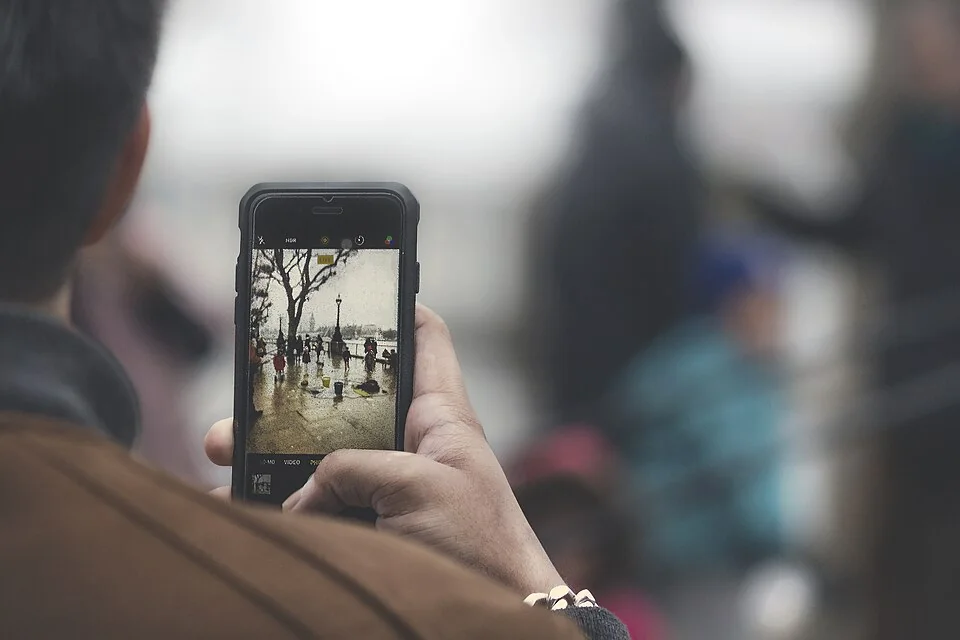
You film at the correct Instagram Reel size by holding the phone upright, so the camera records a tall 9:16 picture from the start. Filming upright means you never have to crop a sideways video later and throw away most of the picture.
- Hold the phone vertically. Lock screen rotation if your phone keeps flipping the view.
- Pick the video resolution. In your camera app’s settings, choose 1080p or higher if it is offered. 1080p held upright gives a 1080 × 1920 file.
- Pick the frame rate. 30 FPS meets Instagram’s minimum. 60 FPS gives smoother motion for dance or sport.
- Frame for the safe box. Keep the face, product or hands in the middle area, not at the top edge or in the bottom third.
- Leave room for text. Decide where your heading goes before you press record.
- Record a short test. Play it back and check that nothing important sits near the edges.
Filming a necklace for a Jaipur jewellery shop? Keep the pendant in the centre and leave clean wall above it for a price label. Filming a coaching-class tip in Kota? Stand in the middle of the frame and keep the whiteboard words above your shoulders, not at the bottom. The phone filming guide covers light, focus and steady support, which matter as much as the frame shape.
How do you convert a video to Instagram Reel size?
You convert a video to Instagram Reel size by placing it on a 9:16 canvas (the blank frame in an editing app) and then either filling the frame or fitting the whole picture inside it. Editing apps name these choices differently, such as fill, crop or fit.
| Choice | What happens | Use it when |
|---|---|---|
| Fill (crop) | The video is enlarged until it covers the 9:16 frame; the sides are cut off | The subject stays in the middle of a sideways clip |
| Fit | The whole video shows, with bands above and below | Everything in the wide shot matters, such as a cricket ground or a group dance |
| Re-film | You record the scene again, upright | The clip is short and easy to repeat |
The arithmetic shows why filling hurts a sideways clip. A landscape 1920 × 1080 video cropped to 9:16 keeps a slice only about 608 pixels wide (1,080 ÷ 16 × 9). That is under a third of the original width. The editor then enlarges that slice to 1,080 pixels, so detail drops.
To convert, follow these steps in any editor:
- Create a new project and set the canvas to 9:16, or 1080 × 1920.
- Import the clip and choose fill or fit.
- Move the clip so the subject sits in the centre.
- If you chose fit, add a plain colour or a heading in the empty bands, inside the safe box.
- Export at 1080 × 1920 and at least 30 FPS.
- Watch the exported file on your phone before posting.
If you edit in Meta’s Edits app, the Edits app tutorial walks through a full project from import to export. For other choices, see the round-up of Reels editing apps for Indian creators.
What size is a Reel cover, and why is it shorter?
A Reel cover has its own size, separate from the Instagram Reel size: 420 × 654 pixels, a 1:1.55 ratio, according to the same Help Centre page. The file can be PNG or JPG. That shape is shorter than the 9:16 video. Scaled to 1,080 pixels wide, a 1:1.55 cover is about 1080 × 1674 pixels, which is 246 pixels shorter than a 1080 × 1920 frame.
So a cover taken from a full 9:16 frame loses height somewhere. Instagram does not say where it trims, so keep titles and faces out of the top and bottom 125 pixels of a 1080 × 1920 cover design. Keep the key words in the middle.
Two official pages disagree about editing the cover later. The Help Centre page says you can’t edit the cover photo after uploading. Instagram’s 2026 guide to making Reels says you can edit the caption, cover image, tags and location after posting. Choose the cover before you share, then check what your app allows. The full method, including the grid crop, is in the guide to Reel cover size, and Reel cover design covers wording and pictures.
Do Reel length and boosting change the size rules?
Reel length does not change the Instagram Reel size, but it changes who can see the Reel. Instagram’s Help Centre page “Record a reel on Instagram” says your clips can add up to 20 minutes, and Reels over 3 minutes won’t be recommended to new audiences. So a Reel that runs past 3 minutes is not recommended to new audiences, however well it is sized.
Boosting adds stricter rules. Meta’s Business Help Centre page on boosting an Instagram Reel says a boosted Reel must be 90 seconds or shorter, 9:16, free of licensed music, and not already shared to Facebook. If you plan to boost later, film in 9:16 and keep the edit under 90 seconds from day one.
For choosing the length itself, read how long your Reel needs to be. Sharing to Facebook affects the boost rule, so read the Facebook cross-posting guide before you switch on cross-posting.
Which Instagram Reel size mistakes cost the most?
The Instagram Reel size mistakes that cost the most are the ones you cannot fix after posting: a sideways video, text at the edges and a soft, re-saved copy. Check this list before every upload:
- Filming sideways. Cropping a landscape clip to 9:16 keeps under a third of the picture.
- Text at the edges. Meta’s Ads Guide keeps its margins so key parts are not cropped or covered by the profile icon or call to action. Keep words inside the safe box.
- Uploading a forwarded copy. Upload the original file from the phone or editor, not a copy that went through a chat app.
- Screen-recording a video. A screen recording is a second copy of the video and can capture the phone’s status bar. Export the edit instead.
- Mixing shapes in one edit. A square clip inside a 9:16 Reel shows bands. Fill the frame or re-film it.
- Ignoring the cover. A cover that works full screen can lose its title on the profile grid. The grid size guide explains the crop.
- Tiny captions. Your viewers read captions on a phone screen. Add and check captions at phone size.
Stories use the same tall shape, so one 9:16 Instagram Reel size frame works for both. The Story size guide covers the differences, such as the 60-second clip limit.
When does a paid views order fit a finished Reel?
A paid views order fits a finished Reel that already has the right Instagram Reel size and reads well on a phone. It suits one moment that needs a higher view count, such as a product launch or a Diwali offer. Fix the size first. Views do not repair a cropped or blurry Reel.
ViewMoro sells views at ₹9 per 1,000, from 1,000 to 50,00,000 views per order, on one public Instagram Reel or video post. You paste the post link, and no password is needed. You pay by UPI through UroPay, our payment provider. The order starts automatically once payment is confirmed, delivery begins 5–10 minutes after payment and completes within 24 hours. An order that is not delivered is refunded.
A views order raises the view count of that one post only. It does not add likes, comments, followers or sales, and you cannot choose where viewers are located. It does not work on Stories, Highlights, Lives or private accounts. The how ordering works page shows each step.
Meta’s Spam policy bans “selling, buying, or exchanging for engagement, such as likes, shares, views, follows”, so buying views is against that policy. Make the choice with that rule in front of you. For the full free and paid picture, read how to get Instagram views. When you are ready, choose a pack for your sized and checked Reel on the ViewMoro order page.
What do you check before uploading a Reel?
Before uploading, check the Instagram Reel size and every detail around it: shape, export size, frame rate, text position, cover, file source and length. Save this table as a screenshot and tick each row for every Reel.
| Check | Target | Done |
|---|---|---|
| Shape | 9:16, filmed upright | ☐ |
| Export size | 1080 × 1920 (never below 720 pixels) | ☐ |
| Frame rate | 30 FPS or more | ☐ |
| Text position | Inside the middle safe box, about 950 × 980 pixels | ☐ |
| Cover | 420 × 654 or 1:1.55, title in the centre | ☐ |
| File | The original export, not a forwarded or screen-recorded copy | ☐ |
| Length | 3 minutes or less for new audiences; 90 seconds or less to boost | ☐ |
| Upload setting | Upload at highest quality turned on | ☐ |
After posting, open the Reel on your phone and on your profile grid. If something is cut off, note it for the next Reel instead of guessing at a new rule. Once a Reel passes every row and you want more people to see it, add views to that one public Reel from ₹9 per 1,000 on the order page.
Frequently asked questions
Is 1080 × 1920 the official Instagram Reel size?
Instagram’s Help Centre does not name one pixel size as the Instagram Reel size. It allows ratios from 1.91:1 to 9:16 with at least 720 pixels. 1080 × 1920 is simply the 9:16 frame at 1,080 pixels wide, and Meta’s Ads Guide uses 1440 × 2560 for Reels ads.
Why does my Reel show black bars?
Black bars appear when the video is not 9:16, such as a sideways or square clip placed in a tall frame. Open the edit, set the canvas to 9:16, then fill the frame or film the scene again upright before you export.
Does the right size give a Reel more views?
Instagram has not published any link between frame size and reach. A 9:16 Reel uses the whole screen and keeps text readable, which helps viewers follow it, but views still depend on how people respond to the video itself.
Can I change a Reel’s size after posting?
Instagram’s 2026 guide to making Reels says that to change the video itself, you delete the Reel and upload an edited version. Fix the size in your editor before sharing, because later edits cover details such as the caption, not the video file.
Is there a new Instagram Reel size in 2026?
On 24 October 2026, Instagram’s Help Centre still listed the same Instagram Reel size rules: any ratio from 1.91:1 to 9:16, at least 720 pixels and 30 FPS, and a 420 × 654 cover. Check that page again before a big shoot.
Are videos inside a carousel treated as Reels?
No. Instagram’s carousel help page says videos in carousels are not considered Reels, do not show in the Reels tab and do not have Reels features. Post a video as its own 9:16 Reel when you want it in the Reels tab.
Sources and further reading
- Instagram Help Centre: Reel size & aspect ratios on Instagram
- Instagram Help Centre: Record a reel on Instagram
- Instagram Help Centre: Image resolution of photos you share on Instagram
- Instagram Help Centre: Share a post with multiple photos or videos on Instagram
- Meta Ads Guide: Awareness video ad specs on Instagram Reels
- Instagram: How to make Instagram Reels, the complete 2026 guide
- Meta Business Help Center: Boost an Instagram Reel
- Instagram Help Centre: Share a photo or video to your Instagram story
- Meta Transparency Center: Spam policy